

Download Black Box Theme – Android Themes, Customize Your Mobile, Free Desktop App
Overview
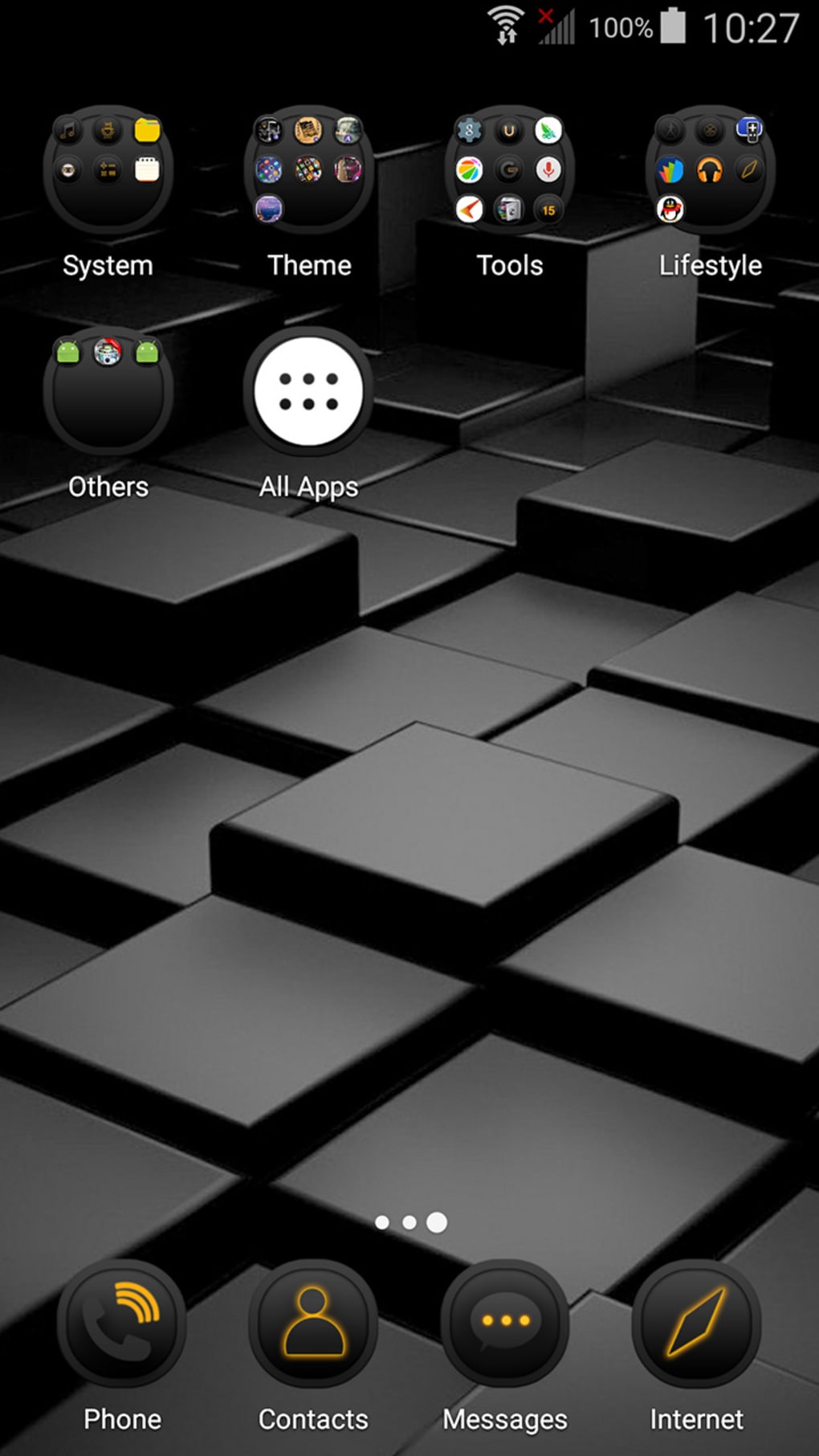
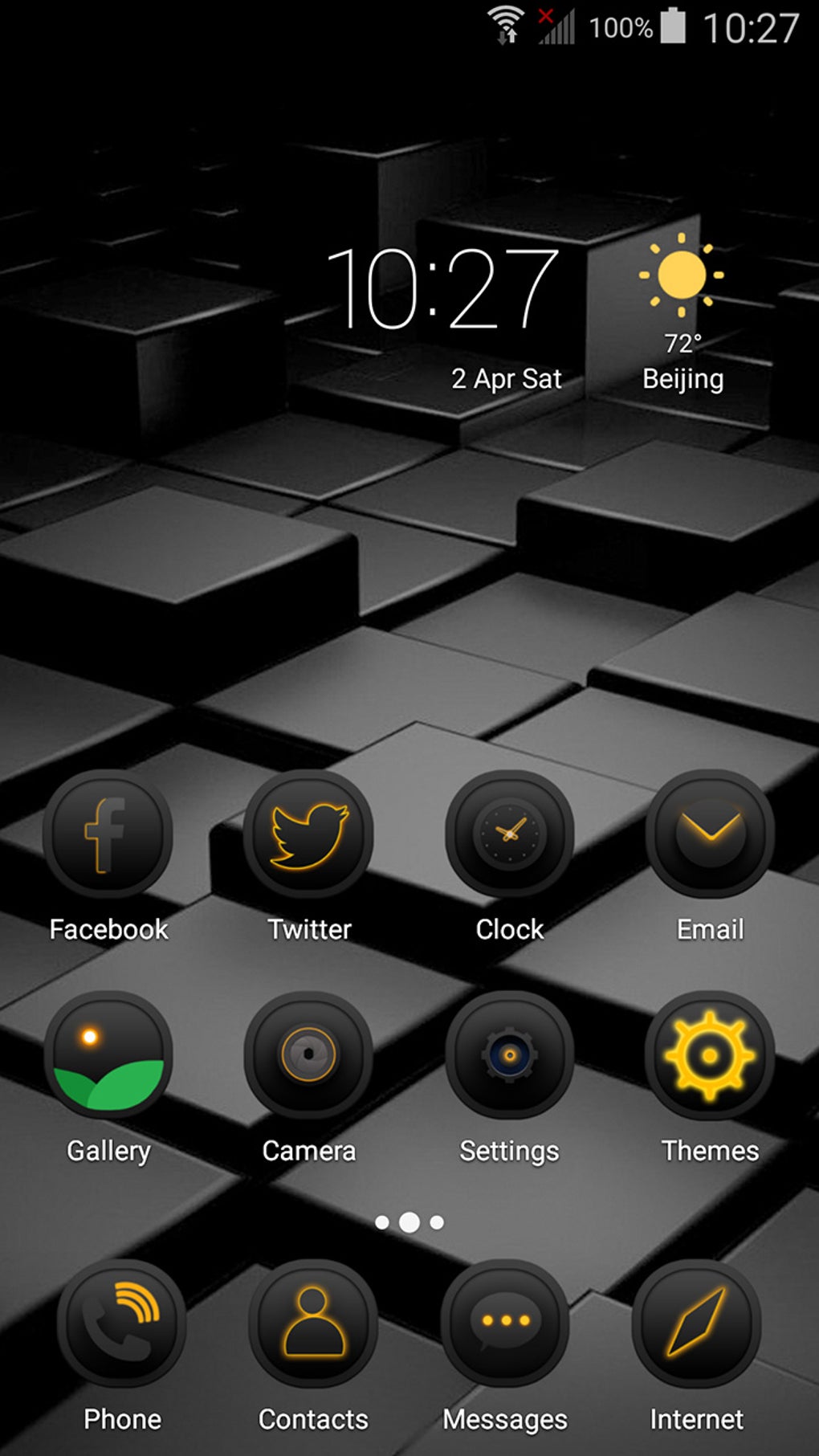
Black Box Theme is a free Android application designed to enhance the visual appearance of mobile devices through customizable themes. Developed by ABC Launcher Team, the app allows users to transform their device’s interface with a dark, minimalist aesthetic inspired by the concept of a "black box." It belongs to the category Customize Your Mobile, specifically under Themes, offering a unique way to personalize the look and feel of Android smartphones and tablets. The software is intended for consumers seeking a sleek, modern interface that stands out from default system designs.
Its primary purpose is to provide a cohesive visual experience through background designs, icon packs, and system UI adjustments. While the app does not support advanced customization beyond theme application, it serves as a lightweight tool for users who value visual consistency and aesthetic appeal. The theme is particularly suited for users who prefer dark-themed interfaces, which can improve readability in low-light environments and reduce screen glare.
Since its release in 2016, Black Box Theme has been available for Android 4.1 and later, with a current version of 1.3.2. The developer has not provided additional details about the app’s development philosophy or future roadmap.
Key Features & Capabilities
- Dark, Minimalist Aesthetic – The theme applies a uniform black color scheme across the home screen, app icons, and system UI, creating a sleek, modern look.
- Icon Pack Integration – Includes a set of custom icons designed to match the black box theme, enhancing visual harmony.
- Background Customization – Offers dynamic or static wallpapers that complement the dark theme, improving overall visual cohesion.
- Compatibility with Android 4.1+ – Designed to run on a wide range of older and newer Android devices, ensuring broad accessibility.
- Multi-Language Support – Available in English, Spanish, and German, making it accessible to a diverse user base.
These features allow users to achieve a unified, professional appearance across their device’s interface. For example, a user in a low-light environment can benefit from reduced screen brightness and glare, while maintaining a consistent design language. The theme is especially useful for individuals who use their mobile devices for extended periods, such as content creators, remote workers, or students. Although the app does not support advanced settings like gesture controls or widget customization, its focus on visual consistency makes it a practical choice for those prioritizing aesthetics over functionality. The theme’s lightweight nature ensures minimal impact on device performance, making it suitable for older Android hardware.
User Interface, Workflow & Performance
The user interface of Black Box Theme is straightforward and designed for ease of use. Upon installation, users are guided through a simple setup process that includes selecting the theme and applying it to the device. Navigation within the app is minimal, with a clean layout focused on theme preview and application options.
The workflow is efficient, allowing users to preview the theme before activation and revert changes if needed. The app does not require complex configurations, making it accessible even to non-technical users. Performance observations are based on general software behavior patterns; the app runs smoothly on devices meeting the minimum OS requirement.
However, the developer did not specify resource usage details, so exact CPU or RAM consumption remains unknown. Stability appears to be consistent, as the app has remained in circulation since 2016 without reported major issues. No performance benchmarks or user feedback data were provided.
Users can expect a stable experience, though real-world behavior may vary depending on device hardware and Android version.
Compatibility & System Requirements
Black Box Theme is compatible with Android 4.1 and later versions, ensuring broad support across a range of mobile devices. The app is designed for smartphones and tablets running the Android operating system. The installation size varies depending on the device type, though exact figures were not provided by the developer.
The app is available for download in multiple languages, including English, Spanish, and German. It is not available through the Google Play Store, which means users must obtain the APK file from third-party sources. This may affect security and update reliability, as official app store verification is bypassed.
The developer has not provided additional information about hardware requirements, such as minimum RAM or processor specifications. As a result, exact compatibility details beyond the OS version are limited. Users should ensure their device meets the Android 4.1 requirement before attempting installation.
Pros and Cons
Pros
- Free to download and use
- Lightweight with minimal system impact
- Offers a cohesive, visually appealing dark theme
- Supports multiple languages
- Compatible with Android 4.1 and above
Cons
- Not available on Google Play Store
- No official update notifications
- Limited customization beyond visual changes
- Developer did not provide detailed system requirements
- App version is outdated (1.3.2, last updated 5/10/16)
FAQ Section
Is Black Box Theme available on Google Play Store?
No, the app is not available on the Google Play Store. Users must download the APK file from third-party websites.
Can I use Black Box Theme on older Android devices?
Yes, the app is compatible with Android 4.1 and later versions, making it suitable for older devices that meet the OS requirement.
Is the app secure to download?
Since the app is not distributed through official channels, users should exercise caution when downloading from third-party sources. It is recommended to scan the APK file for malware before installation.
Does Black Box Theme require internet access?
The app does not require continuous internet access to function. However, updates may need to be downloaded manually from external sources.
What languages are supported by Black Box Theme?
The app supports English, Spanish, and German, allowing users from various regions to access the interface in their preferred language.
Final Thoughts + CTA
Black Box Theme offers a simple yet effective solution for users seeking a dark, minimalist aesthetic on their Android devices. While its feature set is limited to visual customization, it delivers a consistent and polished look across the interface. The app’s long-standing presence since 2016 demonstrates reliability, though its last update in 2016 raises concerns about compatibility with modern Android versions.
For users with older devices running Android 4.1 or higher, it remains a viable option for personalization. However, those seeking regular updates, enhanced security, or advanced customization should consider alternative theme applications. The lack of Google Play Store availability and outdated version history are notable drawbacks.
Still, for basic visual enhancement without cost, Black Box Theme serves its purpose. Download Black Box Theme now and transform your mobile experience with a sleek, dark interface.





.png)

